

The AUTHENTICA Business Dashboard: all your DPP in one platform

Digital Product Passports are becoming an essential part of how brands manage product information, compliance, authentication and post-purchase engagement. Yet for many brands, adopting a DPP still feels like adding one more system to an already fragmented stack: product data lives in one place, hardware gets sourced and configured separately, and even a small update can mean opening a support ticket and waiting. The new AUTHENTICA Business Dashboard was built to remove that fragmentation.
Building on the previous AUTHENTICA platform, it introduces a redesigned interface, more streamlined workflows and new options for sourcing and managing NFC tags. The result is a clearer, more independent way for brands to manage their DPP projects, from initial setup through ongoing updates, without losing the flexibility needed across different products, teams and volumes.
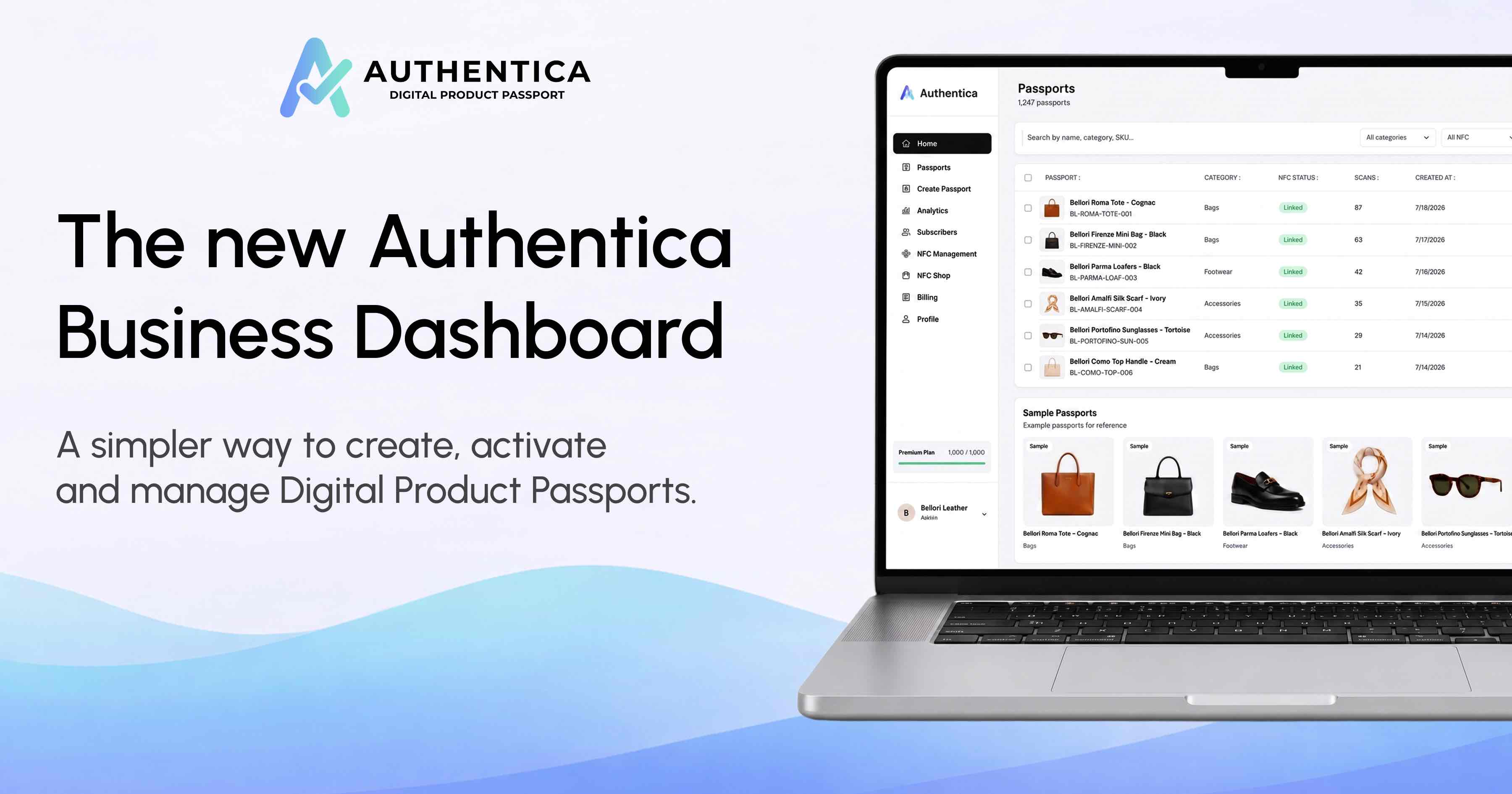
A redesigned interface
The interface has been rebuilt from the ground up, and the difference shows up in how a product moves from setup to activation. Steps that used to require jumping between multiple screens, or waiting on technical support, now sit within a shorter, clearer workflow. Day-to-day management becomes more accessible to non-technical teams, and routine operations need developer support less often.
A brand launching a small collection and a brand managing thousands of SKUs both move through the same path, just at different scales. Behind the new interface sits a simpler operational logic: creating a passport, updating its content and monitoring how it performs now happen without switching context between different tools.
Sourcing and managing NFC tags
Hardware has historically been one of the more technical parts of any DPP rollout. Brands can now purchase NFC tags directly through AUTHENTICA, and the tags arrive already encoded and linked to the brand’s environment. What used to be a multi-step technical process (preparing, encoding and importing each tag individually) is reduced to receiving hardware that’s ready to associate with a product.
For brands working with tags sourced elsewhere, the AUTHENTICA mobile app still allows encoding and product association on an individual basis. That remains a good fit for smaller projects or one-off activations, where setting up a bulk supply chain wouldn’t make sense. For larger volumes, tags purchased through AUTHENTICA are currently the more efficient route, since bulk import of externally sourced tags isn’t yet supported on the desktop platform. Either way, the choice is the brand’s to make, depending on scale, timeline and whatever hardware relationships are already in place. If you’re unsure which data carrier to use, the NFC vs QR code comparison can help.
Tags purchased through AUTHENTICA use NTAG 424 DNA chips with hardware-level authentication: every tap generates a cryptographically signed URL that cannot be cloned. See how we use this for brand protection →
Built to accommodate evolving requirements
Digital Product Passport requirements keep evolving across sectors, shaped by regulation that is still taking its final shape in several markets. An implementation that’s too rigid risks becoming outdated the moment those requirements shift. The Business Dashboard is structured to hold product identity, materials, supply-chain information, certifications, care instructions, repair data and end-of-life information within a format built to be extended rather than rebuilt.
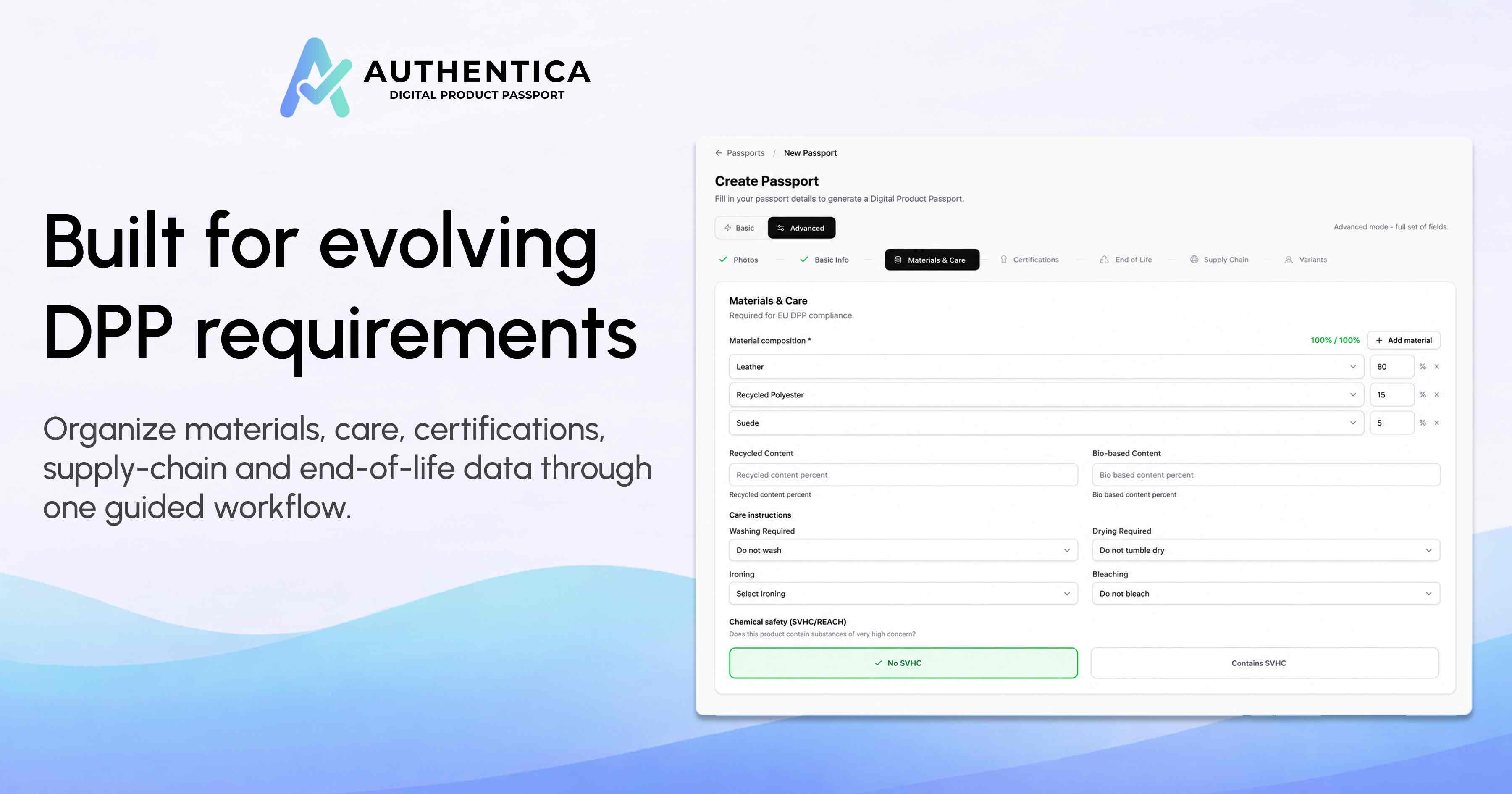
New data categories can be added as they become mandatory, without requiring a brand to restart its DPP program from scratch. The objective is a data structure that can keep up as the product, the company and the regulatory framework evolve: three things that rarely move at the same pace. For the compliance calendar, see the ESPR regulation timeline.
Managing the product beyond the point of sale
A Digital Product Passport keeps serving a purpose well after the product has been sold. Through the Business Dashboard, brands can monitor scans, authentication attempts and interactions over time, seeing where and how often a product’s passport gets accessed. That data can inform everything from anti-counterfeiting checks to understanding which markets are engaging most with a collection. Brands can also update product information, publish new content and build post-purchase experiences tied to individual products or entire collections.
What starts as a compliance requirement can grow into an ongoing channel between the brand and the person who owns the product: one that doesn’t rely on the retail moment to keep the relationship alive, and the core of customer engagement through the DPP. Business Dashboard and mobile app access are included within the same subscription, so teams move between desktop and on-site activation without switching plans. Fixed DPP packages with downloadable QR codes are also available for pilots or limited collections that don’t require a full implementation from the outset, giving smaller projects a lighter way in. Consumers don’t need a dedicated app either: a tap on the NFC tag or a scan of the QR code opens the product experience directly in the browser.
Frequently asked questions
What can I do with the AUTHENTICA Business Dashboard?
The Business Dashboard lets you manage the full DPP lifecycle from one platform: a clear interface, linear workflows and options to purchase and manage NFC tags, from initial setup through ongoing updates.
How can I source NFC tags?
You can purchase them directly through AUTHENTICA: they arrive already encoded and linked to your brand’s environment, ready to associate with a product. For tags sourced elsewhere, the AUTHENTICA mobile app allows encoding and association one at a time, ideal for smaller projects or one-off activations. For larger volumes, tags purchased through AUTHENTICA are currently the more efficient route, since bulk import of externally sourced tags isn’t yet supported on the desktop platform.
Are the Business Dashboard and mobile app included in the same subscription?
Yes. Business Dashboard and mobile app access are included within the same subscription, so teams move from desktop management to on-product activation without switching plans. Fixed DPP packages with downloadable QR codes are also available for pilots or limited collections.
Do consumers need a dedicated app?
No. A tap on the NFC tag or a scan of the QR code opens the passport directly in the browser, with no dedicated app required.
Evaluating which platform to build your DPP program on? Read How to Choose a DPP Platform: 7 Questions or start with our free DPP assessment.
Book a demo to learn more about the new AUTHENTICA Business Dashboard
We’ll show you how to create, manage and monitor DPPs: from NFC tag setup to updates over time.
Book a Demo